

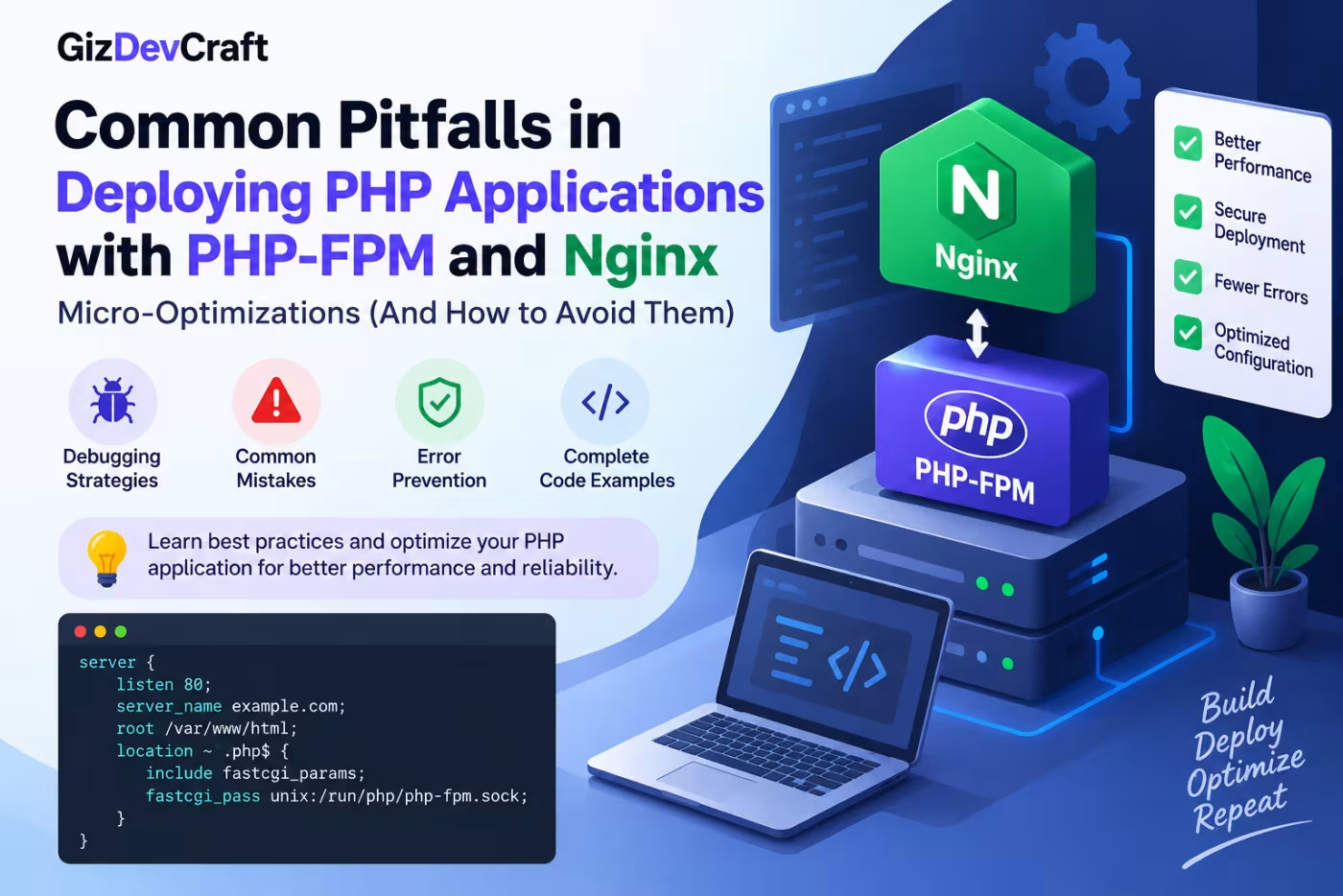
Deploying a PHP application with Nginx and PHP-FPM is a common production setup for websites, APIs, dashboards, and PHP frameworks such as Laravel and Symfony. Nginx handles incoming HTTP requests and static files, while PHP-FPM executes PHP scripts through the FastCGI protocol. Nginx's fastcgi_pass directive connects the web server to the FastCGI backend, which can be exposed through a TCP address or a Unix socket.
Although the basic configuration is straightforward, production deployments can encounter problems such as 502 Bad Gateway errors, PHP-FPM worker exhaustion, slow requests, incorrect file paths, oversized requests, inefficient buffering, poor timeout settings, and insecure PHP exposure.
This guide explains the most common PHP-FPM and Nginx deployment mistakes and shows how to build a more reliable and efficient production configuration.
How Nginx and PHP-FPM Work Together
A typical PHP application uses the following request flow:
Client
   ↓
Nginx
   ↓
Static file?
   ├── Yes → Nginx serves the file
   │
   └── No
        ↓
     PHP request
        ↓
     PHP-FPM
        ↓
     PHP application
        ↓
     Database / APIs / Files
        ↓
     PHP-FPM
        ↓
     Nginx
        ↓
     Client
Nginx does not execute PHP code itself. Instead, it forwards PHP requests to PHP-FPM through FastCGI.
A simplified configuration looks like:
location ~ \.php$ {
    include fastcgi_params;
    fastcgi_pass unix:/run/php/php-fpm.sock;
    fastcgi_param SCRIPT_FILENAME $document_root$fastcgi_script_name;
}
The exact PHP-FPM socket path depends on the operating system and installed PHP version.
Nginx's official documentation describes fastcgi_pass as the directive used to specify the FastCGI server address and supports both TCP addresses and Unix-domain sockets.
1. Incorrect SCRIPT_FILENAME Configuration
One of the most common PHP-FPM deployment problems is an incorrect SCRIPT_FILENAME.
PHP needs to know which PHP file should be executed. Nginx passes this information to PHP-FPM using the SCRIPT_FILENAME FastCGI parameter.
A common configuration is:
fastcgi_param SCRIPT_FILENAME $document_root$fastcgi_script_name;
For example, if:
root /var/www/example.com/public;
and the requested URL is:
/index.php
Nginx can pass:
/var/www/example.com/public/index.php
to PHP-FPM.
Why This Causes Problems
If the document root is incorrect, PHP-FPM may report errors such as:
Primary script unknown
or Nginx may return:
404 Not Found
Always verify that:
-
The Nginx
rootpoints to the correct directory. -
The PHP file actually exists.
-
SCRIPT_FILENAMEresolves to the correct absolute path. -
PHP-FPM has permission to access the file.
2. Using the Wrong PHP-FPM Socket
Another frequent deployment mistake is using the wrong PHP-FPM socket.
For example:
fastcgi_pass unix:/run/php/php8.3-fpm.sock;
But the installed PHP-FPM service may actually expose:
/run/php/php8.4-fpm.sock
The result is commonly:
502 Bad Gateway
Check the PHP-FPM Socket
On Linux, you can inspect the available sockets with:
ls -la /run/php/
You may see:
php8.3-fpm.sock
php8.3-fpm.pid
Then make sure your Nginx configuration uses the same socket:
fastcgi_pass unix:/run/php/php8.3-fpm.sock;
After changing the configuration, test Nginx:
sudo nginx -t
Then reload it:
sudo systemctl reload nginx
3. Choosing Between Unix Sockets and TCP
PHP-FPM can communicate with Nginx through either a Unix socket or TCP.
Unix Socket
fastcgi_pass unix:/run/php/php8.3-fpm.sock;
TCP
fastcgi_pass 127.0.0.1:9000;
For Nginx and PHP-FPM running on the same server, a Unix socket is a common choice.
TCP can be useful when PHP-FPM runs on another host or inside a separate container.
The important point is not to treat one option as universally faster. The correct choice depends on your deployment architecture.
4. Incorrect PHP-FPM Worker Configuration
PHP-FPM uses worker processes to execute PHP requests.
If too few workers are available, requests can queue up and response times may increase.
If too many workers are configured, the server can run out of memory.
A pool configuration may contain settings such as:
pm = dynamic
pm.max_children = 20
pm.start_servers = 4
pm.min_spare_servers = 4
pm.max_spare_servers = 10
The correct values depend on:
-
Available RAM
-
PHP application's memory usage
-
Average request duration
-
Number of concurrent requests
-
Database performance
-
Background jobs
-
Other services running on the server
Don't Copy Random Values
A common mistake is copying:
pm.max_children = 100
from another server without considering available memory.
If each PHP worker consumes significant memory, 100 workers could exhaust the server's RAM.
Instead, measure your application's actual memory usage and size the pool according to the resources available.
5. Understanding pm.max_children
pm.max_children limits the number of PHP-FPM child processes that can be active at the same time.
For example:
pm.max_children = 20
means PHP-FPM can have up to 20 child processes in that pool.
A simplified sizing approach is:
PHP memory available
÷
Average memory used by one PHP worker
=
Approximate maximum workers
For example, if approximately 2 GB of RAM is safely available for PHP and each worker uses around 100 MB:
2048 MB ÷ 100 MB ≈ 20 workers
This is only a starting point. Real production tuning should consider the application's actual memory profile and the memory required by Nginx, MySQL/MariaDB, Redis, operating-system services, and other processes.
6. Ignoring Slow PHP Requests
A server can appear healthy while individual PHP requests are taking several seconds.
PHP-FPM provides mechanisms for identifying slow requests, including slow logging.
A pool configuration can use settings such as:
request_slowlog_timeout = 5s
slowlog = /var/log/php/php-fpm-slow.log
This can help identify scripts that consistently take too long.
Slow requests may be caused by:
-
Expensive database queries
-
External API calls
-
Large loops
-
File processing
-
Image manipulation
-
Poor application logic
-
Missing database indexes
-
Lock contention
Increasing PHP-FPM workers does not fix the underlying cause of a slow application.
7. Setting Excessive FastCGI Timeouts
Nginx provides FastCGI timeout directives such as:
fastcgi_connect_timeout
fastcgi_send_timeout
fastcgi_read_timeout
The official Nginx documentation specifies that fastcgi_read_timeout controls how long Nginx waits between successive reads from the FastCGI server.
For example:
fastcgi_connect_timeout 10s;
fastcgi_send_timeout 60s;
fastcgi_read_timeout 60s;
Do not simply increase every timeout to several minutes because an application is slow.
A long timeout can cause PHP-FPM workers to remain occupied for longer periods.
Instead:
-
Identify why the request is slow.
-
Optimize the application.
-
Optimize database queries.
-
Use background jobs for long-running tasks when appropriate.
-
Set timeouts according to legitimate application requirements.
8. Misunderstanding FastCGI Buffering
Nginx supports FastCGI response buffering.
For example:
fastcgi_buffering on;
When buffering is enabled, Nginx can read the response from PHP-FPM into buffers and send it to the client separately. If the response does not fit in memory buffers, part of it may be written to a temporary file.
Developers sometimes change buffer settings without measuring whether buffering is actually a problem.
Avoid blindly adding configurations such as:
fastcgi_buffers 32 32k;
fastcgi_buffer_size 64k;
just because they appear in optimization guides.
Buffer sizes should be based on actual response characteristics and observed errors.
9. Serving Static Files Through PHP
Nginx is very efficient at serving static content.
Requests for files such as:
.css
.js
.jpg
.jpeg
.png
.webp
.svg
.woff2
generally should not be unnecessarily routed through PHP.
A typical server configuration separates static assets from dynamic PHP processing.
For example:
location ~* \.(css|js|jpg|jpeg|png|gif|webp|svg|ico|woff|woff2)$ {
    expires 30d;
    access_log off;
}
The exact caching policy should match your application's deployment strategy.
If asset filenames contain content hashes, longer cache lifetimes can often be used safely.
10. Forgetting PHP OPcache
PHP OPcache stores compiled PHP bytecode in shared memory so PHP does not have to compile the same scripts repeatedly.
For production applications, OPcache is an important performance feature.
A typical configuration may include:
opcache.enable=1
opcache.memory_consumption=128
opcache.interned_strings_buffer=16
opcache.max_accelerated_files=20000
opcache.validate_timestamps=1
opcache.revalidate_freq=2
The appropriate values depend on the application and deployment process.
For deployments where PHP files are replaced atomically and OPcache invalidation is handled as part of the deployment process, different timestamp settings may be appropriate.
Do not blindly copy OPcache values from another server.
11. Exposing PHP-FPM to the Public Network
PHP-FPM should not normally be exposed directly to the public Internet.
For example, avoid unnecessarily binding the service to:
0.0.0.0:9000
if Nginx and PHP-FPM are on the same machine.
A local Unix socket is one option:
listen = /run/php/php8.3-fpm.sock
If TCP is required, restrict access appropriately.
This is especially important because PHP-FPM can receive configuration-related FastCGI parameters. PHP's documentation warns that PHP-FPM should not be bound to a globally accessible address when sensitive configuration values are passed through FastCGI.
12. Running PHP-FPM With the Wrong User or Permissions
File permissions can cause confusing production errors.
Your PHP-FPM pool might use:
user = www-data
group = www-data
The exact user depends on the operating system and server setup.
The PHP-FPM process needs appropriate access to:
-
Application files
-
Upload directories
-
Cache directories
-
Log directories
-
Session storage
-
Temporary directories
Avoid solving permission problems with:
chmod -R 777 /var/www
This is not a proper production fix.
Instead, configure ownership and permissions for only the directories that PHP needs to write to.
13. Allowing Direct Access to Sensitive Files
Your Nginx configuration should prevent direct access to sensitive files.
Depending on your application, files such as these should not be publicly accessible:
.env
.git/
composer.json
composer.lock
vendor/
storage/
config/
For example:
location ~ /\.(?!well-known) {
    deny all;
}
However, server rules should be designed around the actual application structure rather than copied blindly.
For frameworks such as Laravel, the public document root should normally point to the application's public directory rather than the project root.
14. Forgetting to Test Nginx Configuration
Before reloading Nginx after making configuration changes, always test the configuration:
sudo nginx -t
A successful result should indicate that the syntax is valid.
Then reload:
sudo systemctl reload nginx
This is safer than making several changes and immediately restarting the entire server.
15. Common 502 Bad Gateway Causes
A 502 Bad Gateway response does not automatically mean that Nginx is broken.
When Nginx cannot successfully communicate with PHP-FPM, investigate both sides.
Common causes include:
PHP-FPM is stopped
Check:
sudo systemctl status php8.3-fpm
Incorrect socket
Check:
ls -la /run/php/
Permission problem
Check ownership and permissions of the PHP-FPM socket.
PHP-FPM pool is overloaded
Inspect PHP-FPM logs and system resource usage.
PHP process crashes
Check PHP-FPM and system logs.
Nginx timeout
Review:
fastcgi_read_timeout
Application error
The problem may actually be inside the PHP application, database, or an external service.
16. A Practical Nginx Configuration
A basic production-oriented configuration can look like this:
server {
    listen 80;
    server_name example.com www.example.com;

    root /var/www/example.com/public;
    index index.php index.html;

    location / {
        try_files $uri $uri/ /index.php?$query_string;
    }

    location ~ \.php$ {
        include fastcgi_params;

        fastcgi_pass unix:/run/php/php8.3-fpm.sock;
        fastcgi_param SCRIPT_FILENAME $document_root$fastcgi_script_name;

        fastcgi_connect_timeout 10s;
        fastcgi_send_timeout 60s;
        fastcgi_read_timeout 60s;
    }

    location ~ /\.(?!well-known) {
        deny all;
    }
}
The exact configuration should be adapted to your application and PHP version.
Nginx's official examples use fastcgi_pass and SCRIPT_FILENAME to connect Nginx to the FastCGI application server and identify the PHP script being executed.
17. A Practical PHP-FPM Pool Configuration
A basic pool configuration might look like:
[www]

user = www-data
group = www-data

listen = /run/php/php8.3-fpm.sock

pm = dynamic

pm.max_children = 20
pm.start_servers = 4
pm.min_spare_servers = 4
pm.max_spare_servers = 10

request_slowlog_timeout = 5s
slowlog = /var/log/php/php-fpm-slow.log
These numbers are examples, not universal recommendations.
The correct values should be determined from:
-
Available memory
-
PHP worker memory usage
-
Request concurrency
-
Application workload
-
CPU capacity
-
Database performance
18. Micro-Optimizations That Actually Matter
Small optimizations can help, but they should come after fixing architectural and application-level problems.
Enable OPcache
Avoid repeatedly compiling the same PHP scripts.
Keep static assets out of PHP
Let Nginx serve CSS, JavaScript, images, fonts, and other static files.
Use appropriate FastCGI buffering
Do not modify buffer sizes without a measured reason.
Reuse connections where appropriate
Nginx supports FastCGI connection management through directives such as fastcgi_keep_conn. The default is off, so connection reuse should be evaluated according to the application architecture.
Monitor PHP-FPM workers
Look for:
-
Worker exhaustion
-
Long-running requests
-
Queueing
-
High memory usage
-
Frequent process restarts
Optimize the database
A slow SQL query can dominate the total request time regardless of Nginx tuning.
19. Don't Optimize the Wrong Layer
A common mistake is spending hours tuning Nginx when the actual bottleneck is PHP or the database.
For example:
Browser
   ↓
Nginx        → 5 ms
   ↓
PHP-FPM      → 80 ms
   ↓
Application  → 150 ms
   ↓
Database     → 900 ms
In this situation, reducing Nginx processing by a few milliseconds will have little impact.
The database query should be investigated first.
Performance optimization should therefore follow measurement:
Measure
   ↓
Identify bottleneck
   ↓
Change one thing
   ↓
Measure again
   ↓
Keep or revert the change
20. Production Deployment Checklist
Before deploying a PHP application with Nginx and PHP-FPM, check the following.
Nginx
-
Correct
server_name -
Correct document root
-
Correct
try_filesconfiguration -
Correct PHP-FPM socket
-
Correct
SCRIPT_FILENAME -
Appropriate FastCGI timeouts
-
Static files served directly
-
Sensitive files blocked
-
HTTPS configured
-
Configuration tested with
nginx -t
PHP-FPM
-
Correct PHP version
-
PHP-FPM service running
-
Correct socket permissions
-
Appropriate
pm.max_children -
Appropriate worker settings
-
Slow-request logging configured when needed
-
OPcache enabled
-
Memory usage monitored
-
PHP-FPM logs monitored
Application
-
Production environment enabled
-
Debug mode disabled
-
Dependencies installed with production settings
-
Database indexes reviewed
-
Cache configured
-
File permissions reviewed
-
Environment variables protected
-
Long-running operations moved to background jobs when appropriate
21. Monitoring After Deployment
Deployment is not finished when the site loads successfully.
Monitor the server after deployment.
Useful metrics include:
-
CPU utilization
-
RAM usage
-
PHP-FPM active workers
-
PHP-FPM idle workers
-
Request latency
-
Nginx response status codes
-
4xx errors
-
5xx errors
-
Database latency
-
Disk usage
-
Network traffic
For example, if you repeatedly see:
502
502
502
502
check PHP-FPM availability and logs.
If you see:
200
200
200
200
but response time is consistently high, investigate application and database performance rather than assuming Nginx is the problem.
Frequently Asked Questions
What is PHP-FPM?
PHP-FPM, or PHP FastCGI Process Manager, is a process manager designed to run PHP applications through FastCGI. Nginx commonly forwards PHP requests to PHP-FPM for execution.
Why does Nginx return 502 Bad Gateway for PHP?
A 502 error can occur when Nginx cannot connect to PHP-FPM, the configured socket or TCP address is incorrect, PHP-FPM is unavailable, or the backend connection fails.
Should PHP-FPM use a Unix socket or TCP?
If Nginx and PHP-FPM run on the same machine, a Unix socket is a common configuration. TCP is useful when PHP-FPM is separated from Nginx, such as in a containerized or multi-server architecture.
How do I check whether PHP-FPM is running?
Use the service manager for your installed PHP version:
sudo systemctl status php8.3-fpm
Replace 8.3 with the PHP version installed on your server.
How do I test Nginx configuration?
Run:
sudo nginx -t
If the configuration is valid, reload Nginx:
sudo systemctl reload nginx
How many PHP-FPM workers should I configure?
There is no universal number. pm.max_children should be based on available memory, PHP worker memory usage, concurrency, and the application's workload.
Does increasing pm.max_children always make PHP faster?
No. Increasing workers can improve concurrency when PHP-FPM is under-provisioned, but excessive workers can cause memory pressure and swapping, which can make the server slower.
Should I increase fastcgi_read_timeout to fix slow PHP?
Not automatically. A timeout increase may be appropriate for legitimate long-running requests, but slow requests should first be investigated for application, database, or external-service bottlenecks.
Is OPcache important for PHP applications?
Yes. OPcache reduces repeated PHP compilation work and is an important component of production PHP performance.
Should PHP-FPM be publicly accessible?
Normally, no. PHP-FPM should generally be reachable only by trusted services such as Nginx. PHP's documentation specifically warns about exposing PHP-FPM when sensitive configuration values are passed through FastCGI.
Conclusion
A reliable PHP deployment is not created by copying a large Nginx configuration and increasing every available performance setting.
The most important improvements come from understanding how Nginx, FastCGI, PHP-FPM, the PHP application, and the database work together.
Start with a correct fastcgi_pass and SCRIPT_FILENAME configuration, use an appropriate PHP-FPM process pool, enable OPcache, serve static assets directly from Nginx, protect sensitive files, configure sensible timeouts, and monitor slow requests and worker usage.
Most importantly, measure before optimizing. A database query, external API call, memory problem, or inefficient PHP code can have a much larger performance impact than a small Nginx configuration change.
With a properly configured PHP-FPM and Nginx stack, you can build a PHP production environment that is faster, more stable, easier to troubleshoot, and easier to scale.


Discussion (0)
Sign in to join the discussion
Only registered developers with verified email addresses can leave comments.
No comments yet. Be the first to start the conversation!