

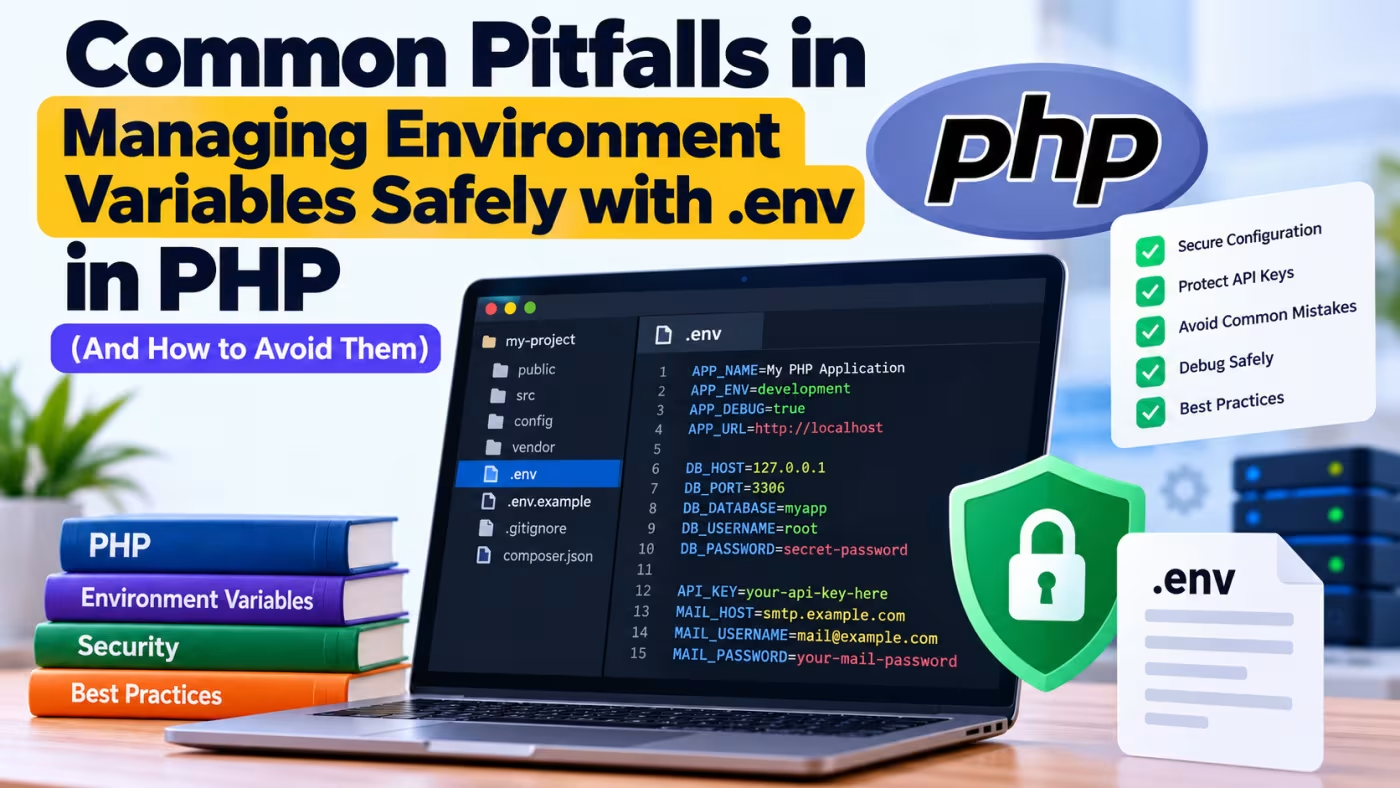
Managing environment variables safely with .env in PHP is an important part of modern backend development. Environment variables allow developers to keep configuration values such as database credentials, API keys, application URLs, encryption keys, and other environment-specific settings outside the main application code.
A properly configured .env file can make an application easier to develop, test, deploy, and maintain. However, incorrectly handling environment variables can expose sensitive credentials, cause unexpected application errors, or make debugging unnecessarily difficult.
In this guide, you'll learn how to manage .env files safely in PHP, how to load environment variables, how to access them in your application, common mistakes developers make, and how to build a more reliable configuration system.
Key principle: Never treat environment variables as ordinary application data. Secrets should be protected, validated, and kept separate from your source code.
What Are Environment Variables in PHP?
Environment variables are configuration values provided to an application by the operating system or application environment.
For example, instead of putting database credentials directly into PHP code:
<?php

$dbHost = 'localhost';
$dbUser = 'root';
$dbPassword = 'mypassword';
$dbName = 'my_database';
you can store them outside the application code:
DB_HOST=localhost
DB_USERNAME=root
DB_PASSWORD=mypassword
DB_DATABASE=my_database
Your PHP application can then read these values at runtime.
This approach is useful because different environments can use different configurations.
For example:
| Environment | Database | Debug Mode |
|---|---|---|
| Local development | Local MySQL | Enabled |
| Staging | Staging database | Enabled |
| Production | Production database | Disabled |
The PHP code can remain the same while the configuration changes between environments.
Why Should You Use a .env File?
A .env file is commonly used to keep environment-specific configuration separate from application code.
Typical values include:
-
Database hostname
-
Database username
-
Database password
-
API keys
-
Application URL
-
Application environment
-
Debug mode
-
Mail server credentials
-
Redis credentials
-
Third-party service credentials
-
Encryption keys
For example:
APP_ENV=development
APP_DEBUG=true
APP_URL=http://localhost/myapp

DB_HOST=127.0.0.1
DB_PORT=3306
DB_DATABASE=myapp
DB_USERNAME=root
DB_PASSWORD=

MAIL_HOST=smtp.example.com
MAIL_PORT=587
MAIL_USERNAME=mail@example.com
MAIL_PASSWORD=secret-password
The application code does not need to contain these credentials directly.
.env Is Not a Security System by Itself
One of the most important things to understand is that a .env file is not automatically secure simply because it starts with a dot.
For example:
DB_PASSWORD=super-secret-password
is still a plain-text secret.
If an attacker gains access to the file, the password can be exposed.
Therefore, you should protect .env files using several layers:
-
Do not commit production
.envfiles to Git. -
Add
.envto.gitignore. -
Keep the file outside the publicly accessible web directory when possible.
-
Use appropriate filesystem permissions.
-
Never print secrets in error messages.
-
Never expose environment variables through API responses.
-
Use your hosting provider's secret/configuration management features when available.
Installing vlucas/phpdotenv
A popular package for loading .env files in PHP applications is vlucas/phpdotenv.
Install it using Composer:
composer require vlucas/phpdotenv
After installation, Composer will add the package to your project's dependencies.
Your project may look like this:
my-project/
├── public/
│   └── index.php
├── src/
├── vendor/
├── .env
├── .env.example
├── .gitignore
└── composer.json
Creating a .env File
Create a .env file in the root directory of your project:
APP_NAME=My PHP Application
APP_ENV=development
APP_DEBUG=true
APP_URL=http://localhost/myapp

DB_HOST=127.0.0.1
DB_PORT=3306
DB_DATABASE=myapp
DB_USERNAME=root
DB_PASSWORD=
For production, the values would be different:
APP_NAME=My PHP Application
APP_ENV=production
APP_DEBUG=false
APP_URL=https://example.com

DB_HOST=localhost
DB_PORT=3306
DB_DATABASE=production_database
DB_USERNAME=production_user
DB_PASSWORD=strong-production-password
The application code does not need to change between environments.
Loading .env in PHP
After installing phpdotenv, load the environment file near the beginning of your application.
<?php

require_once __DIR__ . '/vendor/autoload.php';

use Dotenv\Dotenv;

$dotenv = Dotenv::createImmutable(__DIR__);
$dotenv->load();
If .env is located in the project root, __DIR__ should point to that directory.
For example:
my-project/
├── .env
├── vendor/
└── public/
    └── index.php
If index.php is inside public, you may need:
$dotenv = Dotenv::createImmutable(dirname(__DIR__));
$dotenv->load();
The correct path depends on your project structure.
Accessing Environment Variables
Once .env has been loaded, you can access values using $_ENV.
For example:
<?php

$appName = $_ENV['APP_NAME'];
$appEnvironment = $_ENV['APP_ENV'];

echo $appName;
echo $appEnvironment;
You can also use getenv() depending on how your environment is configured:
$appName = getenv('APP_NAME');

echo $appName;
However, it is important to understand that $_ENV, $_SERVER, and getenv() do not always behave identically on every PHP/server configuration.
When using a library such as phpdotenv, follow the loading and access approach recommended by your application architecture.
Using $_ENV Safely
A basic example is:
<?php

require_once __DIR__ . '/vendor/autoload.php';

use Dotenv\Dotenv;

$dotenv = Dotenv::createImmutable(dirname(__DIR__));
$dotenv->load();

$appName = $_ENV['APP_NAME'] ?? 'My Application';

echo htmlspecialchars($appName, ENT_QUOTES, 'UTF-8');
The null coalescing operator provides a fallback if the variable is unavailable:
$appName = $_ENV['APP_NAME'] ?? 'My Application';
This can prevent an undefined array key warning.
However, sensitive configuration values should generally be validated rather than silently assigned arbitrary defaults.
Validate Required Environment Variables
One of the most common mistakes is allowing an application to start without required configuration.
Suppose your application requires:
DB_HOST=
DB_DATABASE=
DB_USERNAME=
DB_PASSWORD=
Instead of discovering the problem later when a database query fails, validate the configuration during application startup.
With phpdotenv, you can use:
$dotenv->required([
    'APP_ENV',
    'DB_HOST',
    'DB_DATABASE',
    'DB_USERNAME'
]);
You can also validate values:
$dotenv->required('APP_ENV')->allowedValues([
    'development',
    'staging',
    'production'
]);
This helps detect configuration problems early.
Validating Boolean Environment Variables
Environment variables are represented as strings in many environments.
For example:
APP_DEBUG=false
should not automatically be treated as the PHP boolean:
false
A common mistake is:
$debug = (bool) $_ENV['APP_DEBUG'];
This can produce unexpected results because the string "false" is non-empty and therefore truthy when converted directly to a boolean.
A safer approach is:
$debug = filter_var(
    $_ENV['APP_DEBUG'] ?? false,
    FILTER_VALIDATE_BOOLEAN
);
Now:
APP_DEBUG=true
becomes:
true
and:
APP_DEBUG=false
becomes:
false
This is an important detail when working with configuration values.
Validating Integer Values
Suppose your .env contains:
DB_PORT=3306
Environment variables are generally read as strings, so you can explicitly convert and validate the value:
$dbPort = filter_var(
    $_ENV['DB_PORT'] ?? null,
    FILTER_VALIDATE_INT
);

if ($dbPort === false) {
    throw new RuntimeException('Invalid DB_PORT configuration.');
}
This prevents invalid configuration from silently entering your application.
Creating a Central Configuration File
Instead of reading $_ENV throughout your application, create a central configuration file.
For example:
config/
└── app.php
Then:
<?php

return [
    'name' => $_ENV['APP_NAME'] ?? 'My Application',
    'environment' => $_ENV['APP_ENV'] ?? 'production',
    'debug' => filter_var(
        $_ENV['APP_DEBUG'] ?? false,
        FILTER_VALIDATE_BOOLEAN
    ),
    'url' => $_ENV['APP_URL'] ?? null,
];
You can create another configuration file for the database:
config/
└── database.php
<?php

return [
    'host' => $_ENV['DB_HOST'] ?? '127.0.0.1',
    'port' => (int) ($_ENV['DB_PORT'] ?? 3306),
    'database' => $_ENV['DB_DATABASE'] ?? '',
    'username' => $_ENV['DB_USERNAME'] ?? '',
    'password' => $_ENV['DB_PASSWORD'] ?? '',
];
This keeps environment handling centralized.
Using the Configuration to Connect to MySQL
For example:
<?php

$config = require __DIR__ . '/config/database.php';

$dsn = sprintf(
    'mysql:host=%s;port=%d;dbname=%s;charset=utf8mb4',
    $config['host'],
    $config['port'],
    $config['database']
);

try {
    $pdo = new PDO(
        $dsn,
        $config['username'],
        $config['password'],
        [
            PDO::ATTR_ERRMODE => PDO::ERRMODE_EXCEPTION,
            PDO::ATTR_DEFAULT_FETCH_MODE => PDO::FETCH_ASSOC,
        ]
    );

    echo 'Database connection successful.';
} catch (PDOException $e) {
    error_log($e->getMessage());

    echo 'Unable to connect to the database.';
}
Notice that the actual password is never hard-coded into the PHP source code.
Never Hard-Code Secrets in PHP
Avoid code like this:
<?php

$apiKey = 'sk_live_123456789';
$dbPassword = 'my-secret-password';
Even if the application works, this creates security and maintenance problems.
Instead:
$apiKey = $_ENV['API_KEY'] ?? '';
with:
API_KEY=your-secret-api-key
This separates configuration from application logic.
Never Commit .env to Git
One of the most serious mistakes developers make is accidentally committing .env to a Git repository.
Your .gitignore should normally contain:
.env
.env.*
!.env.example
However, your exact pattern should match your project's environment-file strategy.
A safer common arrangement is:
.env
.env.local
.env.production
are ignored, while:
.env.example
is committed.
Create a .env.example File
A .env.example file documents which variables the application requires without exposing real credentials.
Example:
APP_NAME=My PHP Application
APP_ENV=development
APP_DEBUG=false
APP_URL=http://localhost

DB_HOST=127.0.0.1
DB_PORT=3306
DB_DATABASE=
DB_USERNAME=
DB_PASSWORD=

API_KEY=
MAIL_HOST=
MAIL_PORT=587
MAIL_USERNAME=
MAIL_PASSWORD=
Developers can copy it:
cp .env.example .env
and then add their local values.
Never put real production credentials in .env.example.
What If .env Is Already Committed?
Adding .env to .gitignore does not remove a file that Git is already tracking.
You need to remove it from Git's index:
git rm --cached .env
Then commit the change:
git add .gitignore
git commit -m "Stop tracking environment file"
If real credentials were already pushed to a remote repository, simply deleting the file from the latest commit is not enough.
You should assume the credentials may have been exposed and rotate them.
For example:
-
Change database passwords.
-
Regenerate API keys.
-
Rotate application secrets.
-
Revoke compromised tokens.
Keep .env Outside the Public Web Root
Consider this project structure:
/var/www/myapp/
├── .env
├── vendor/
├── config/
└── public/
    └── index.php
This is preferable to placing .env directly inside the public directory:
public/
├── index.php
└── .env
Your web server should only expose the directory that actually needs to be publicly accessible.
For many PHP applications, that directory is public.
This reduces the risk of accidentally exposing internal files.
Do Not Display Environment Variables in Debug Output
Avoid:
var_dump($_ENV);
especially on production.
This can expose:
DB_PASSWORD
API_KEY
MAIL_PASSWORD
SECRET_KEY
Similarly, avoid logging entire configuration arrays:
error_log(print_r($config, true));
if $config contains secrets.
Instead, log safe information:
error_log('Database configuration loaded successfully.');
If you need to debug configuration, explicitly identify non-sensitive values:
error_log('Environment: ' . ($_ENV['APP_ENV'] ?? 'unknown'));
Never log passwords, API keys, access tokens, or encryption secrets.
Common Mistake: Using the Wrong .env Path
A common problem is:
$dotenv = Dotenv::createImmutable(__DIR__);
when .env is actually one directory above.
For example:
my-project/
├── .env
└── public/
    └── index.php
In this case:
$dotenv = Dotenv::createImmutable(dirname(__DIR__));
is appropriate.
Always verify your directory structure when you receive an error saying that the environment file cannot be found.
Common Mistake: Assuming .env Is Automatically Loaded
PHP does not automatically load a .env file simply because the file exists.
For example, creating:
.env
does not automatically make this work:
echo $_ENV['APP_NAME'];
You need an environment-loading mechanism such as phpdotenv, or you need to configure environment variables through your server or hosting environment.
With Composer and phpdotenv:
require_once __DIR__ . '/vendor/autoload.php';

use Dotenv\Dotenv;

$dotenv = Dotenv::createImmutable(__DIR__);
$dotenv->load();
Common Mistake: Putting Spaces Around Values
Be careful with .env syntax.
For example:
APP_NAME=My Application
is generally preferable to unnecessarily quoting simple values.
For values containing special characters or whitespace where quoting is appropriate:
APP_NAME="My PHP Application"
Follow the syntax supported by your .env parser and test values that contain special characters.
Common Mistake: Exposing Secrets Through an API
Never return your entire environment configuration from an API endpoint.
Bad example:
<?php

header('Content-Type: application/json');

echo json_encode($_ENV);
This could expose database credentials and API keys.
Instead, return only the information the client actually needs:
<?php

header('Content-Type: application/json');

echo json_encode([
    'app_name' => $_ENV['APP_NAME'] ?? 'My Application',
    'environment' => $_ENV['APP_ENV'] ?? 'production',
]);
Sensitive configuration should remain on the server.
Common Mistake: Using Environment Variables for Everything
Environment variables are primarily intended for configuration.
Do not use them as a replacement for your database.
For example, avoid storing large amounts of application data like:
USER_LIST=user1,user2,user3,user4
If data changes frequently or needs to be queried, it usually belongs in an appropriate data store such as a database.
Use environment variables for configuration such as:
DB_HOST=localhost
DB_DATABASE=myapp
API_URL=https://api.example.com
APP_ENV=production
Development, Staging, and Production
A strong configuration strategy separates environments.
Development
APP_ENV=development
APP_DEBUG=true
APP_URL=http://localhost
Staging
APP_ENV=staging
APP_DEBUG=false
APP_URL=https://staging.example.com
Production
APP_ENV=production
APP_DEBUG=false
APP_URL=https://example.com
The important point is that production should not accidentally inherit development settings.
Never Enable Detailed Debugging in Production
A dangerous configuration is:
APP_ENV=production
APP_DEBUG=true
Detailed exceptions can reveal:
-
File paths
-
SQL queries
-
Configuration information
-
Stack traces
-
Internal application details
For production:
APP_DEBUG=false
Your application should log detailed errors internally while showing users a generic error message.
For example:
try {
    // Application logic
} catch (Throwable $e) {
    error_log($e->getMessage());

    http_response_code(500);

    echo 'Something went wrong. Please try again later.';
}
Safely Checking Whether a Variable Exists
Instead of assuming a value exists:
$apiKey = $_ENV['API_KEY'];
you can explicitly check:
if (!isset($_ENV['API_KEY']) || $_ENV['API_KEY'] === '') {
    throw new RuntimeException('API_KEY is not configured.');
}

$apiKey = $_ENV['API_KEY'];
This is especially useful for critical secrets.
Example: Building a Reusable Environment Helper
For a small PHP application, you could create a helper:
<?php

function env(string $key, mixed $default = null): mixed
{
    $value = $_ENV[$key] ?? $_SERVER[$key] ?? getenv($key);

    if ($value === false || $value === null) {
        return $default;
    }

    return $value;
}
You can then use:
$appName = env('APP_NAME', 'My Application');

$dbHost = env('DB_HOST', '127.0.0.1');

$dbPort = (int) env('DB_PORT', 3306);

$debug = filter_var(
    env('APP_DEBUG', false),
    FILTER_VALIDATE_BOOLEAN
);
This keeps environment access consistent throughout the application.
For larger frameworks, however, use the framework's built-in configuration system rather than creating a competing configuration layer.
Example: Complete Small PHP Application Setup
A simple project could look like this:
my-php-app/
├── config/
│   ├── app.php
│   └── database.php
├── public/
│   └── index.php
├── vendor/
├── .env
├── .env.example
├── .gitignore
└── composer.json
.env
APP_NAME=My PHP App
APP_ENV=development
APP_DEBUG=true
APP_URL=http://localhost

DB_HOST=127.0.0.1
DB_PORT=3306
DB_DATABASE=myapp
DB_USERNAME=root
DB_PASSWORD=
public/index.php
<?php

require_once dirname(__DIR__) . '/vendor/autoload.php';

use Dotenv\Dotenv;

$dotenv = Dotenv::createImmutable(dirname(__DIR__));

$dotenv->required([
    'APP_NAME',
    'APP_ENV',
    'DB_HOST',
    'DB_DATABASE',
    'DB_USERNAME',
]);

$dotenv->load();

$appName = $_ENV['APP_NAME'];
$environment = $_ENV['APP_ENV'];

echo '<h1>' . htmlspecialchars($appName, ENT_QUOTES, 'UTF-8') . '</h1>';
echo '<p>Environment: ' .
    htmlspecialchars($environment, ENT_QUOTES, 'UTF-8') .
    '</p>';
This provides a clean starting point for a small PHP application.
Security Checklist for .env Files
Before deploying a PHP application, check the following:
-
.envis not committed to Git. -
.envis not publicly accessible. -
Production secrets are different from development secrets.
-
Production debugging is disabled.
-
API keys are not hard-coded into source files.
-
Database passwords are not included in Git.
-
Secrets are not printed with
var_dump(). -
Secrets are not included in application logs.
-
Environment variables are validated at startup.
-
.env.examplecontains placeholders rather than real secrets. -
Compromised credentials are rotated immediately.
-
Only required configuration is exposed to application components.
-
Sensitive values are never returned by public API endpoints.
.env vs Server Environment Variables
A .env file is convenient for local development, but production environments can also provide configuration directly through the operating system, web server, hosting platform, containers, or deployment system.
For example, a server environment could provide:
DB_HOST=production-db
DB_DATABASE=production
DB_USERNAME=app_user
DB_PASSWORD=********
The PHP application can then read the values without necessarily relying on a physical .env file.
This can be useful in containerized and cloud environments where secrets are managed separately from application source code.
The important principle is that configuration should be supplied securely by the deployment environment.
How to Debug .env Problems Safely
If an environment variable is not working, don't immediately print the entire environment.
Instead, test the specific non-sensitive value:
var_dump($_ENV['APP_ENV'] ?? null);
For a secret, only check whether it exists:
var_dump(isset($_ENV['API_KEY']));
You can also check the length without revealing the secret:
$apiKey = $_ENV['API_KEY'] ?? '';

echo 'API key configured: ' . ($apiKey !== '' ? 'yes' : 'no');
This gives you useful debugging information without exposing the actual credential.
What to Do If the .env File Is Not Loading
If your environment variables are missing, check these areas:
1. Verify the file location
Make sure .env is where your loader expects it.
2. Check Composer dependencies
Run:
composer install
or, if phpdotenv has not been installed:
composer require vlucas/phpdotenv
3. Check the loading code
For example:
$dotenv = Dotenv::createImmutable(dirname(__DIR__));
$dotenv->load();
4. Check the variable name
If .env contains:
DB_HOST=localhost
your PHP code must use:
$_ENV['DB_HOST']
not:
$_ENV['DATABASE_HOST']
5. Check your PHP/server environment
Some hosting configurations treat environment variables differently. If getenv() and $_ENV behave differently, check your PHP configuration and how the variables are being supplied.
Best Practices at a Glance
A secure PHP environment-variable strategy can be summarized as follows:
| Practice | Recommendation |
|---|---|
| Store secrets | Use environment/deployment configuration |
| Local development | .env can be convenient |
| Git | Never commit real .env secrets |
| Production | Prefer secure server/hosting secret management where available |
| Validation | Validate required configuration at startup |
| Debugging | Never dump the complete environment |
| API responses | Never expose secrets |
| Error logs | Never log passwords or API keys |
| Public directory | Keep .env outside the document root when possible |
.env.example |
Use placeholders only |
| Credentials | Rotate them if exposed |
| Debug mode | Disable detailed debugging in production |
Conclusion
Managing environment variables safely with .env in PHP is not just about creating a file called .env and reading values from it. A reliable configuration system requires proper loading, validation, access patterns, deployment practices, and security controls.
For local development, a .env file combined with vlucas/phpdotenv provides a convenient way to manage configuration:
composer require vlucas/phpdotenv
Then load the configuration:
use Dotenv\Dotenv;

$dotenv = Dotenv::createImmutable(dirname(__DIR__));
$dotenv->load();
Validate critical values:
$dotenv->required([
    'APP_ENV',
    'DB_HOST',
    'DB_DATABASE',
]);
And keep sensitive credentials out of your source code and Git repository.
The most important lesson is simple: environment variables should be treated as sensitive configuration, not ordinary application data. By separating configuration from code, validating required values, protecting secrets, and using appropriate production secret-management practices, you can make PHP applications easier to maintain and significantly reduce configuration and security problems.
Continue exploring PHP Backend Development to learn more about configuration management, database connections, authentication, error handling, API development, and production deployment.

Discussion (0)
Sign in to join the discussion
Only registered developers with verified email addresses can leave comments.
No comments yet. Be the first to start the conversation!